Music Tools for Windows
 Music Tools for Mac


How to Convert Kindle KFX-ZIP to PDF and EPUB free with Calibre
How to Convert Kindle KFX-ZIP to PDF and EPUB for free with calibre? Extract kindle books as kfx-zip, convert kfx-zip to pdf, epub.
If you use the modern Microsoft Store version of the Kindle app on Windows 11, you may have realized that traditional Calibre DeDRM tools no longer work. Dragging files straight out of your Kindle content directory often yields encrypted files that refuse to open. Thankfully, developer Satsuoni developed a brilliant workaround that targets the Microsoft Store application framework. This guide breaks down how Amazon's new packaging system works and provides a seamless tutorial to successfully convert your files into universally readable formats.
When running this updated decryption process, you will generate KFX-ZIP files instead of the standard KFX, EPUB, or PDF formats.
Note: Once you see the KFX-ZIP files in your folder, the DRM removal process is actually already complete! These are completely DRM-free archives.
To finalize the process, you just need to install the KFX Input Plugin into Calibre and import your KFX-ZIP files. Calibre will instantly read the archive data, allowing you to convert the books to PDF, EPUB, or any other format compatible with your favorite e-reader.
Here are the detailed steps of decrypting kindle books with Satsuoni MSIXKFXArchiver and converting kfx-zip to pdf or epub format.
Video tutorial on dedrm Microsoft Store Kindle App
Step 1: Download Your Kindle Books
Before attempting decryption, your kindle books should be downloaded to your computer with Microsoft App Store Kindle app.
Launch the Kindle for Windows 11
Download Your eBooks
Step 2: Prepare Your Tools (Calibre & DeDRM_tools + KXF-Input Plugins)
You will need the primary eBook manager along with two specific puzzle pieces.
Get Dedrm Plugin and KFX-input Plugin
Download required zip files: Dedrm_Tools.zip + KFX-INPUT.zip

| DeDRM Tools v10.0.32 | Download DeDRM v10.0.32 here |
| DeDRM Tools v10.0.31 | Download DeDRM v10.0.31 here |
| DeDRM Tools v10.0.30 | Download DeDRM v10.0.30 here |
| DeDRM Tools v10.0.29 | Download DeDRM v10.0.29 here |
| DeDRM Tools v10.0.28 | Download DeDRM v10.0.28 here |
| DeDRM Tools v10.0.27 | Download DeDRM v10.0.27 here |
| DeDRM Tools v10.0.26 | Download DeDRM v10.0.26 here |
| DeDRM Tools v10.0.25 | Download DeDRM v10.0.25 here |
| DeDRM Tools v10.0.24 | Download DeDRM v10.0.24 here |
| DeDRM Tools v10.0.23 | Download DeDRM v10.0.23 here |
| DeDRM Tools v10.0.22 | Download DeDRM v10.0.22 here |
| DeDRM Tools v10.0.21 | Download DeDRM v10.0.21 here |
| DeDRM Tools v10.0.20 | Download DeDRM v10.0.20 here |
Unzip DeDRM Tools
MSIXKFXArchiverMobi1_XXXX.exe.
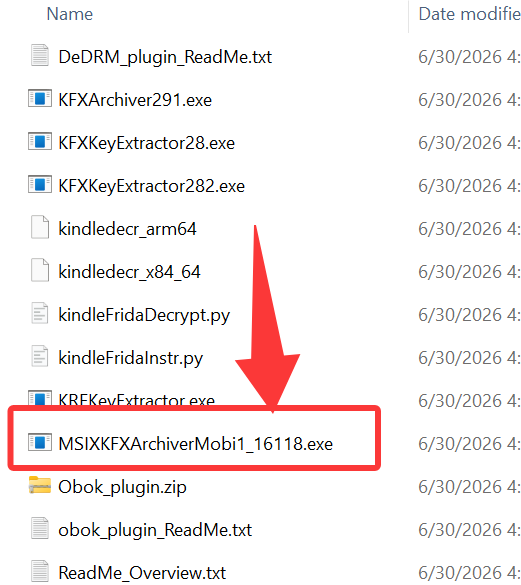
Step 3: Decrypt and Extract kindle Books as KFX-ZIP
This is where the magic happens. The archiver script will automatically locate your Microsoft Store app's secure library and parse the contents.
Run the MSIXKFXArchiver to extract kindle books as kfx-zip files
MSIXKFXArchiverMobi1_xxxx.exe.
Wait for Decryption
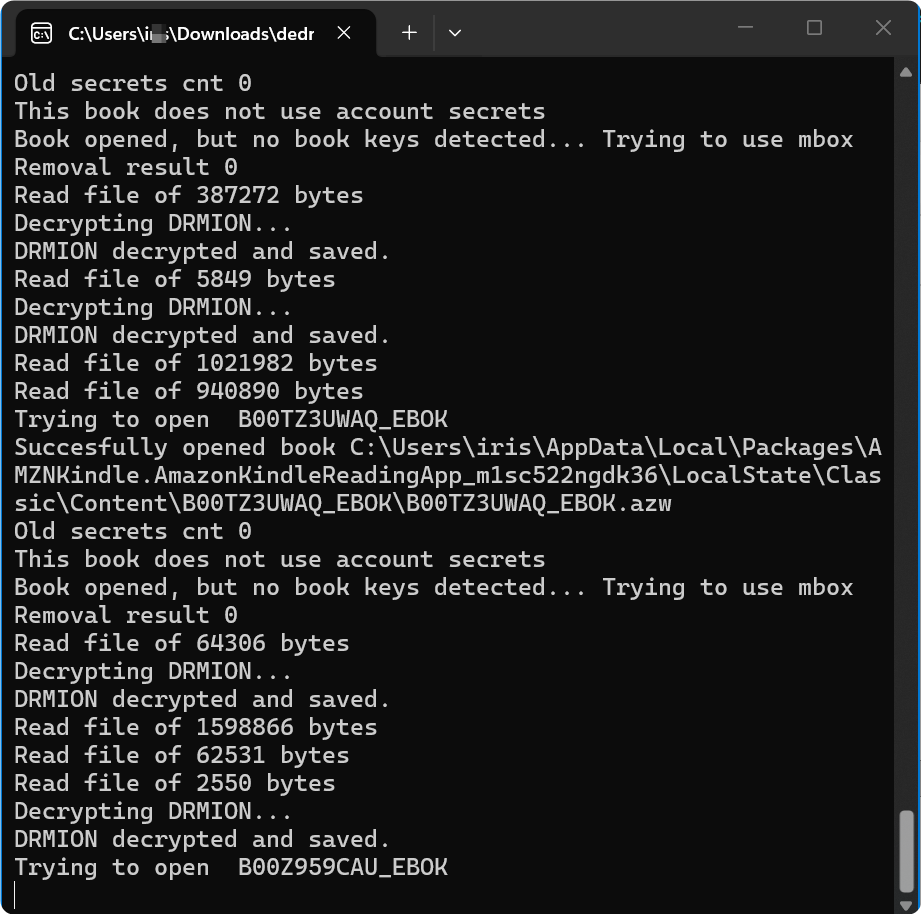
Find your KFX-ZIP packages: archived_kfx folder
archived_kfx. Open it—your freshly decrypted books are waiting inside as clean KFX-ZIP packages. 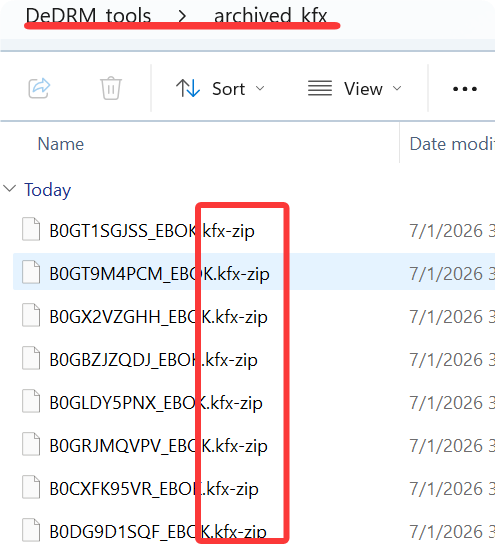
Step 4: Import and Convert to EPUB or PDF in Calibre
With the DRM stripped, Calibre can now convert the archive together into a standard eBook.
Install the KFX Input Plugin
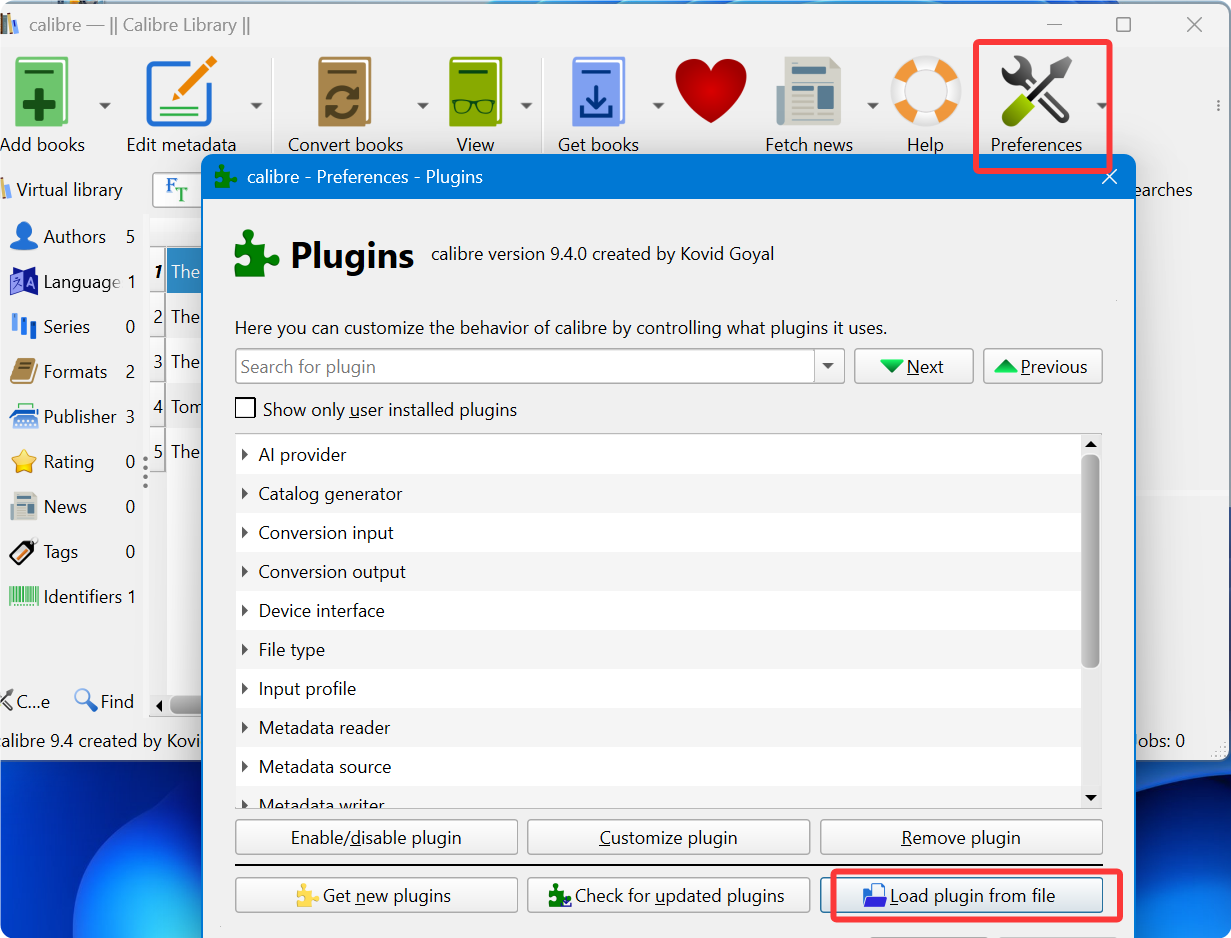
Convert kfx-zip to kfx with Calibre
archived_kfx folder, select your decrypted KFX-ZIP files, and drag them straight into the main Calibre library window. The KFX Input plugin will instantly recognize and read the contents.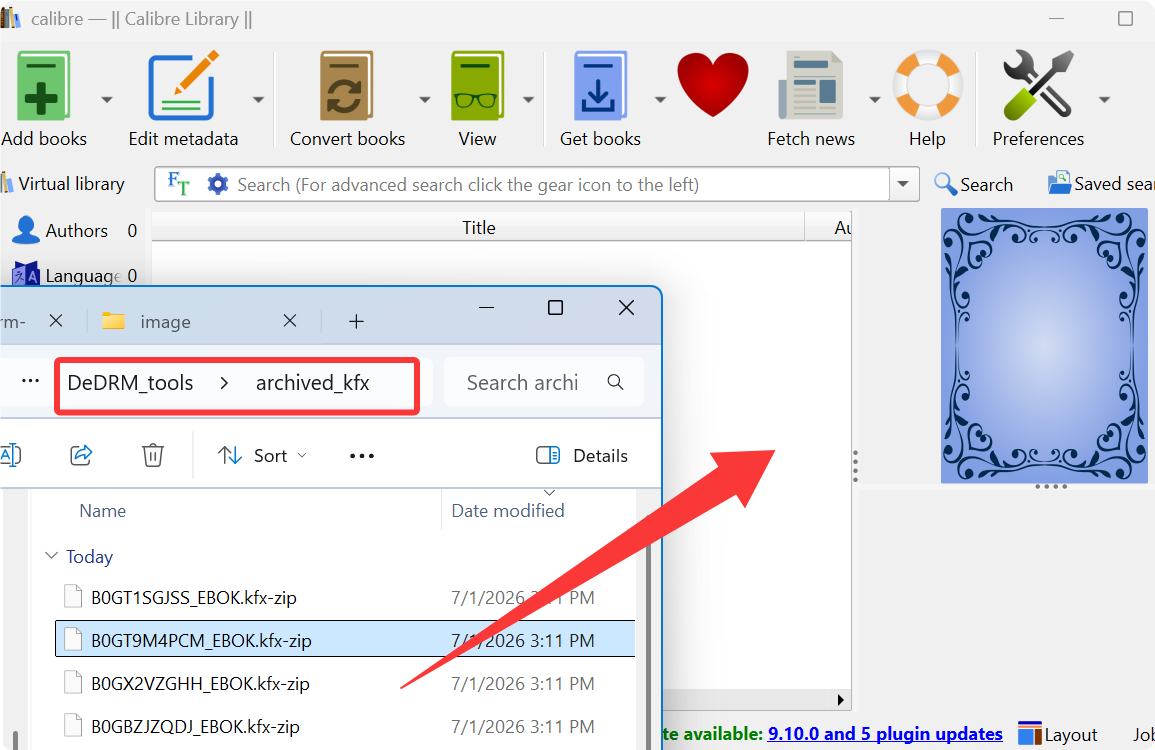
Convert kindle kfx to pdf, epub or any format
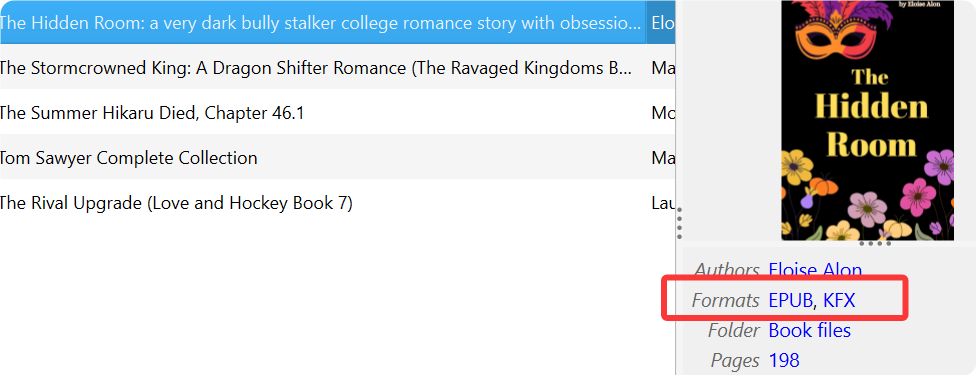
Locate your Kindle books in epub or pdf format
Best Calibre Alternative: Imelfin eBook Ultimate
If you find the multi-step Calibre process a bit too complicated, you can save time by using a dedicated solution like imElfin eBook Ultimate.
- No Plugin Installations: Skip the hassle of setting up Calibre add-ons.
- True Drag-and-Drop: Simply load your books and let the software handle the rest automatically.
- Flawless Conversion: Get your Kindle books converted directly to EPUB, PDF, or Mobi formats instantly.
Install Imelfin eBook Ultimate.


Convert Kindle books to pdf, or epub
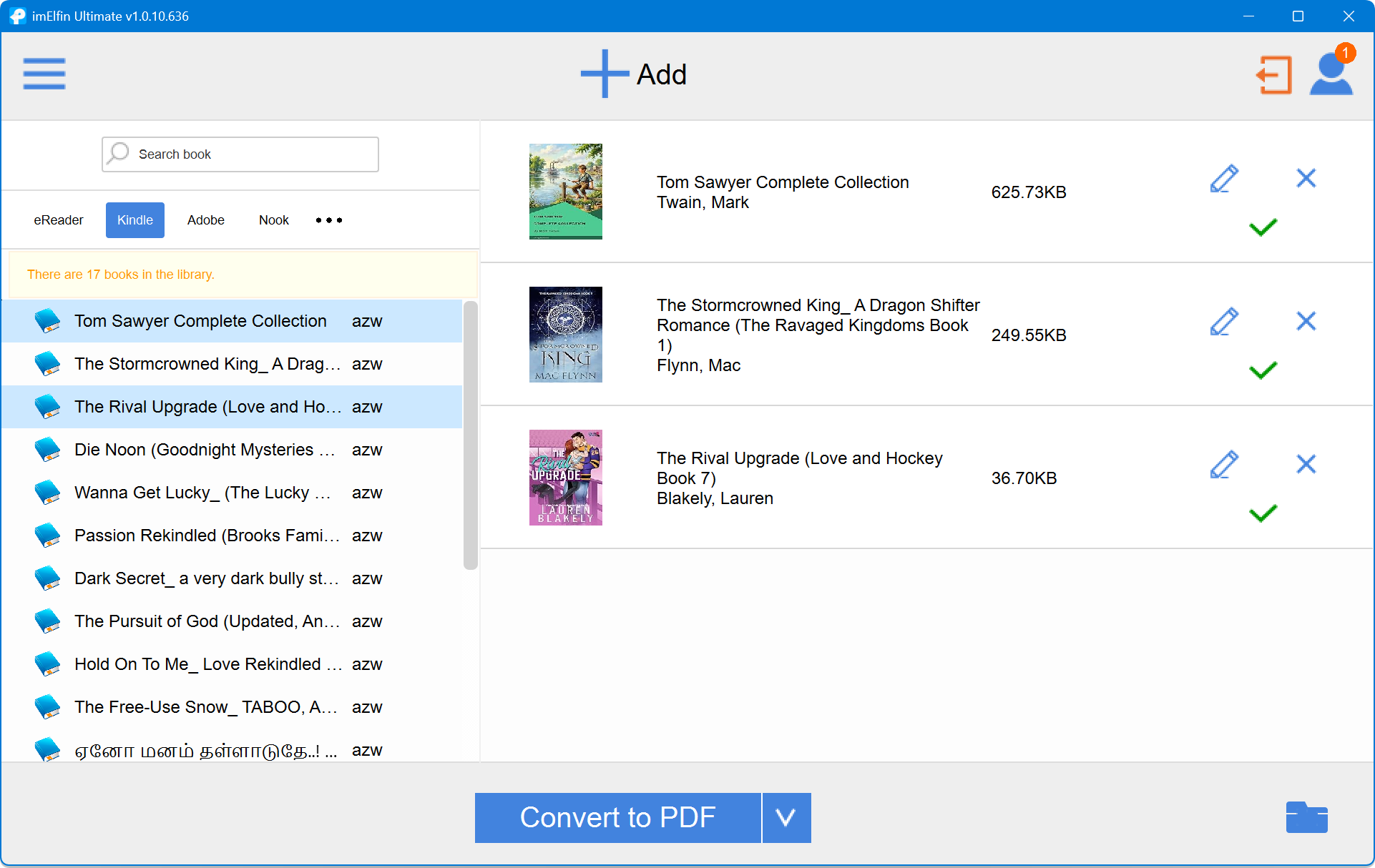
If your target format is pdf or other format, choose "Convert to pdf" to convert your decrypted books to pdf format.
Super easy! Right? Just give it a shot!